1. About this messaging program
Motivate MD sends account-notification text messages (SMS) to members of the Motivate MD Portal who have opted in. These are transactional, account-related alerts — for example, updates about a request or draft, scheduling reminders, and other notifications the member has enabled. The program also includes two one-time enrollment messages: a verification code sent to confirm the member’s phone number during opt-in, and an opt-in confirmation message. This is not a marketing or promotional messaging program.
Texting is entirely optional. Members choose it as an additional delivery channel for notifications they already receive in the Portal and by email; it never replaces or is required for access to any service.
2. How members opt in
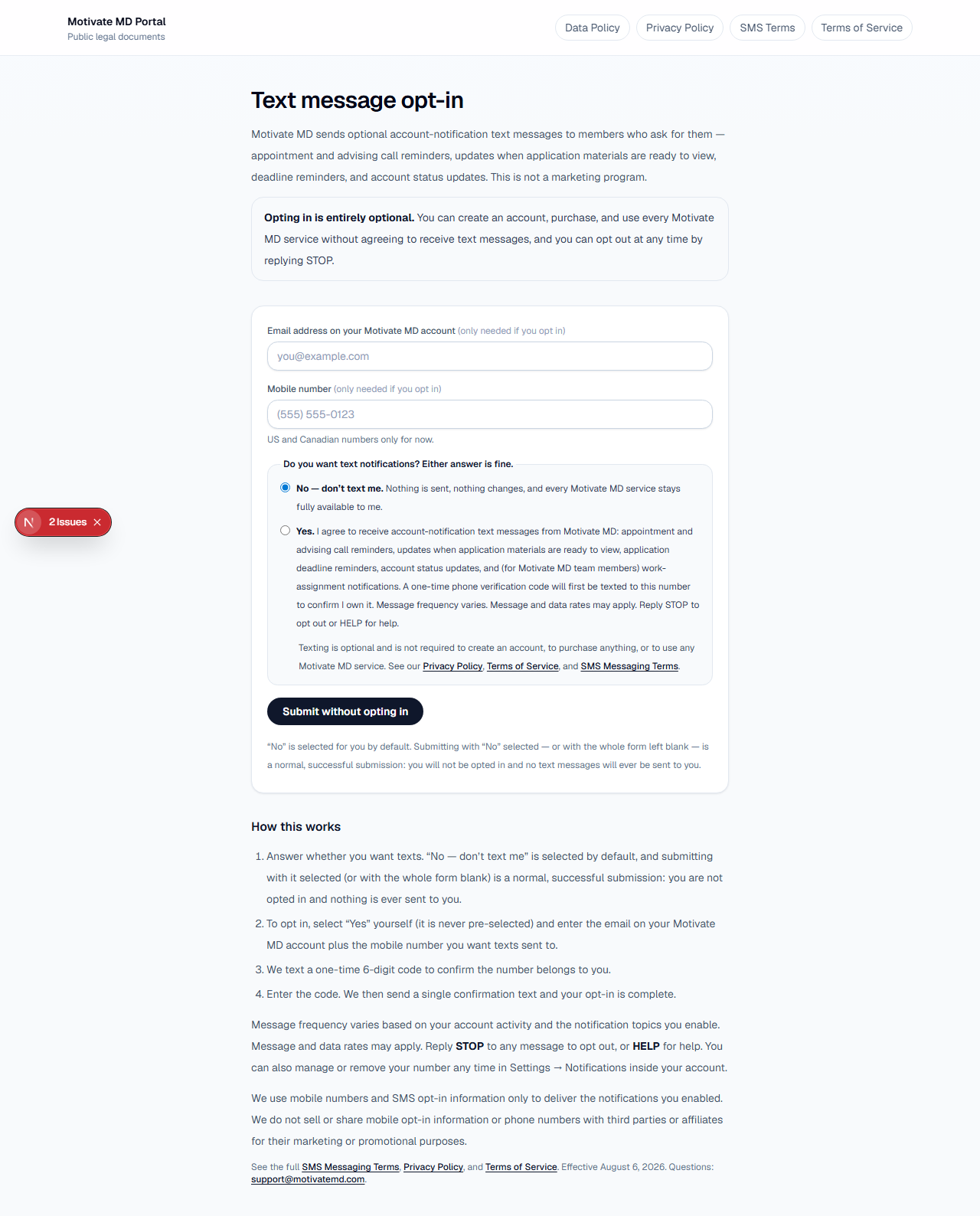
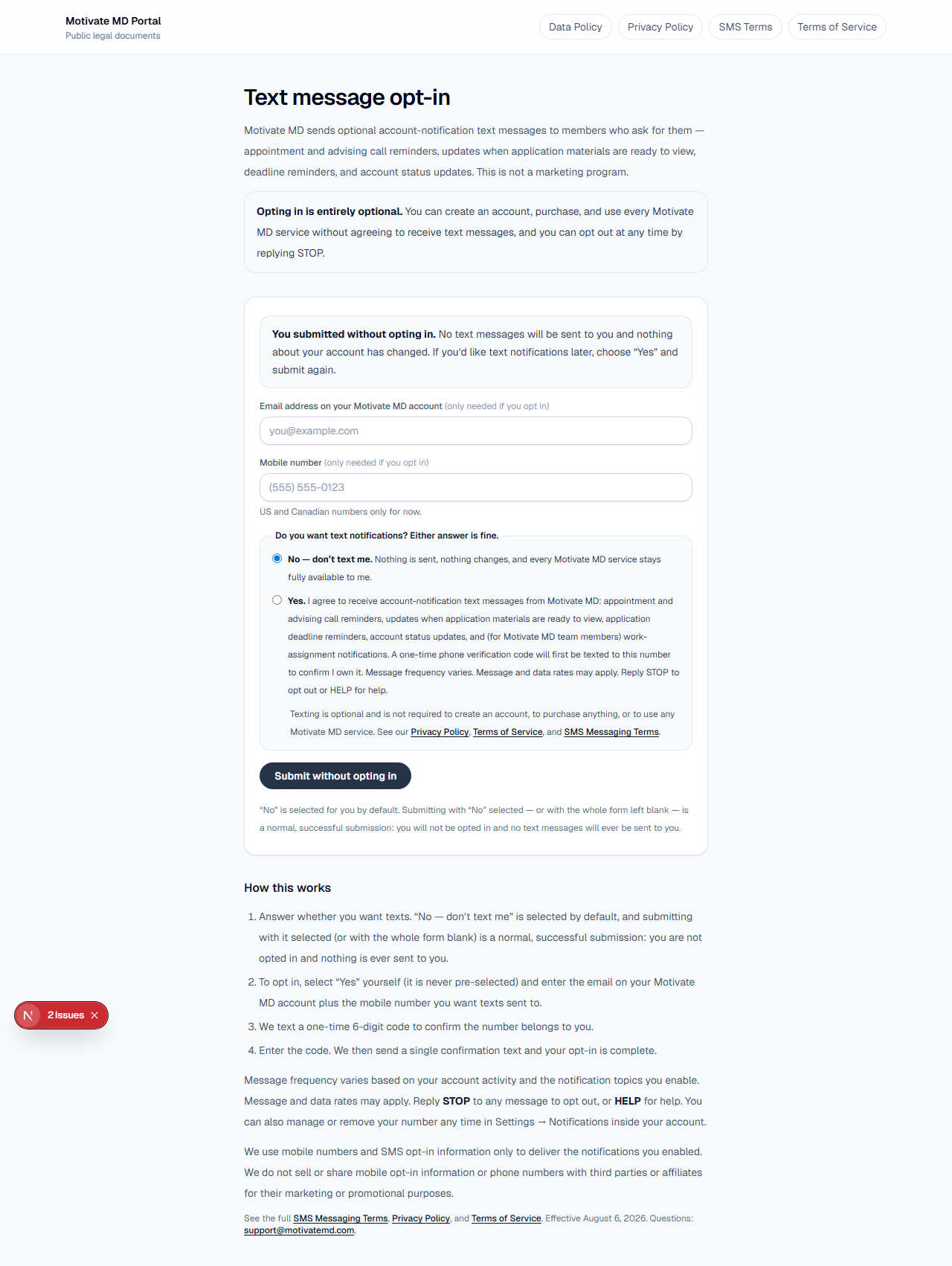
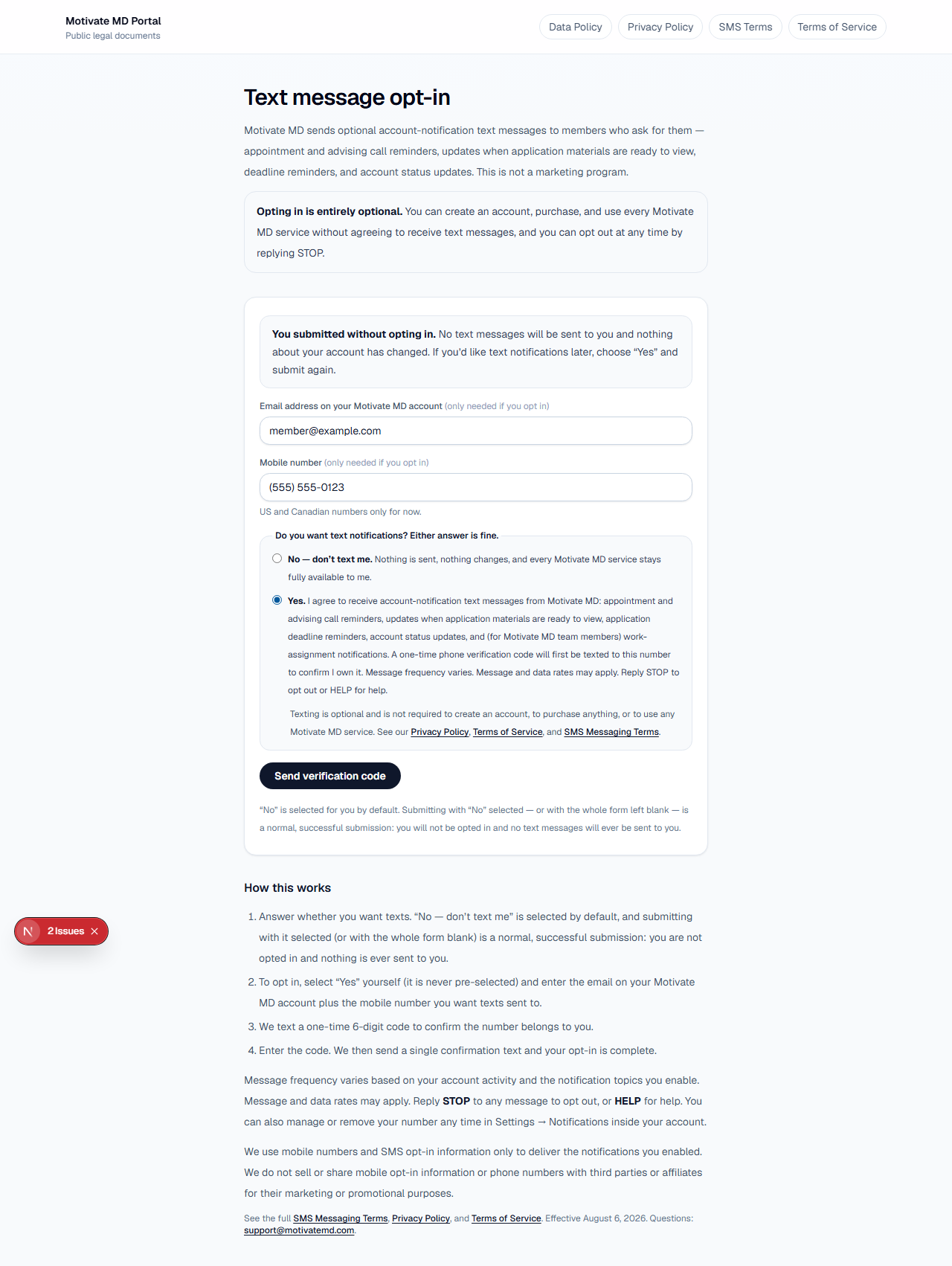
Text messaging is a standalone, optional program. Consent is never bundled into account creation, checkout, or the Terms of Service, and nothing on the opt-in form is gated on consenting: the form asks “Do you want text notifications?” with an explicit “No — don’t text me” option pre-selected, and submitting with “No” selected records a decline and sends nothing. There are two ways to opt in, and both require the member to actively select consent themselves and then verify their number with a one-time code. The first is the public opt-in form at /legal/messaging/opt-in, which needs no login. The second is inside the member’s authenticated Motivate MD Portal account, on the Settings → Notifications page. The steps are the same either way:
- The member opens the public opt-in form, or signs in and opens Settings → Notifications.
- The member enters their own mobile phone number and actively selects “Yes”on the consent choice, agreeing to the full consent statement (which names the message types, discloses the one-time verification code, and states frequency, rates, and STOP/HELP instructions). “Yes” is never pre-selected — the default answer is “No — don’t text me.” The consent control also states that texting is optional and links to our Privacy Policy, Terms of Service, and these SMS Messaging Terms.
- Declining is a first-class outcome.On the public form the mobile number and email are optional and “No” is the pre-selected answer: the submit button reads “Submit without opting in” and is enabled the whole time, and submitting with “No” selected confirms that no texts will be sent. No product, purchase, or account function is withheld from anyone who declines.
- Motivate MD sends a one-time verification code to that number. The member enters the code to confirm the number belongs to them.
- Once verified, Motivate MD sends a one-time opt-in confirmation text. The member can fine-tune which notification topics text them, and can remove the number at any time.
No text messages are ever sent to a number until the member has selected “Yes” themselves and completed the verification step above.
3. Consent language shown at opt-in
The member must actively agree to the following statement before any texts are sent:
“I agree to receive account-notification text messages from Motivate MD: appointment and advising call reminders, updates when application materials are ready to view, application deadline reminders, account status updates, and (for Motivate MD team members) work-assignment notifications. A one-time phone verification code will first be texted to this number to confirm I own it. Message frequency varies. Message and data rates may apply. Reply STOP to opt out or HELP for help.”
4. Sample messages
Examples of the messages a member may receive:
- Verification code: “Motivate MD: Your verification code is 123456. It expires in 10 minutes.”
- Opt-in confirmation: “Motivate MD: You are now opted in to receive account notifications and alerts. Message frequency varies. Message and data rates may apply. Reply HELP for help, reply STOP to opt out.”
- Account notification: “Motivate MD: There’s an update on your request. Sign in to your Portal to view it. Reply STOP to opt out.”
5. Message frequency and rates
Message frequency varies and depends on the member’s own account activity and the notification topics they have enabled. Message and data rates may apply according to the member’s mobile carrier and plan. Motivate MD does not charge a fee for the messages themselves.
6. Getting help and opting out
Members can reply HELP to any message for help, or contact us at support@motivatemd.com.
Members can reply STOP to any message at any time to opt out and stop all texts to that number. Carrier rules require the member to re-opt-in from their own phone (by texting START) or by re-adding the number in Settings → Notifications before texting can resume.
7. Privacy and mobile data sharing
Mobile phone numbers and SMS opt-in information are used only to deliver the account notifications the member has enabled. We do not sell or share mobile opt-in information or phone numbers with third parties or affiliates for their marketing or promotional purposes. Information is shared only with the messaging providers that operate this texting service on Motivate MD’s behalf, and only as needed to deliver these messages.
For full details, see our Privacy Policy and Data Policy.
8. Contact
Questions about this messaging program may be sent to support@motivatemd.com.